Create mtls api
Create an API secured with Mutual SSL
- Create an API.
- Click Develop -> API Configurations -> Runtime.
-
Select Mutual SSL.

Note
HTTP transport will be disabled for an API if it has Mutual SSL enabled.
-
Click Add Certificate to upload a new client certificate.
Note
This feature currently supports
.crtand.cerformats for certificates.If you need to use a certificate in any other format, you can convert it using a standard tool before uploading it.
-
Provide an alias and public certificate. Select the tier that should be used to throttle out the calls using this particular client certificate and click Upload.
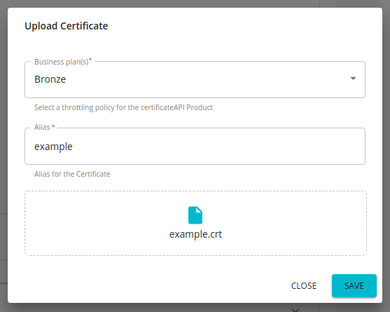
-
Save and Deploy the API.