Adding Dynamic Endpoints
You cannot dynamically construct the back-end endpoint of an API using the HTTP endpoints in the WSO2 API Manager. To achieve the requirement of a dynamic endpoint, you can use a policy with the default endpoint instead. The default endpoint sends the message to the address specified in the To header.
This feature supports for HTTP, SOAP and GraphQL APIs.
-
Set the Endpoint type to 'Dynamic Endpoints' from the Endpoints page and Save the API.
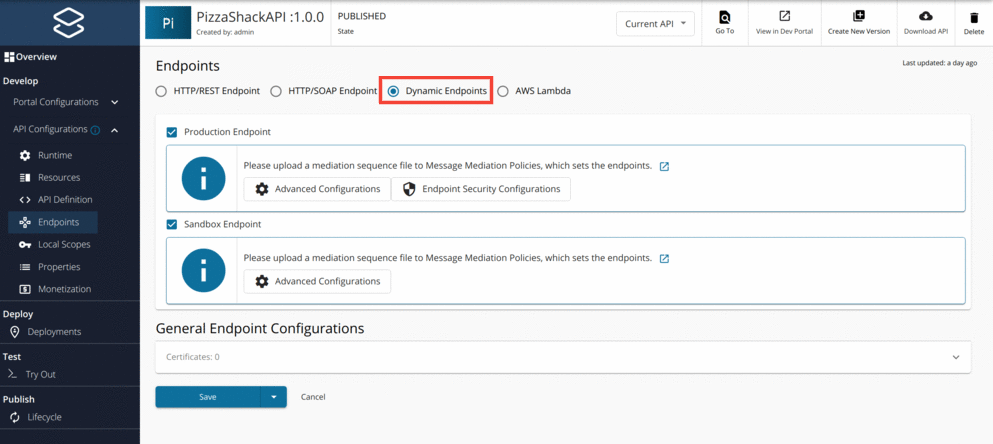
-
Create a mediation sequence to construct the To header dynamically. An example is given below.
Example
<sequence xmlns="http://ws.apache.org/ns/synapse" name="default-endpoint-seq">
    <property name="service_ep" expression="fn:concat('http://jsonplaceholder.typicode.com/', 'posts')"/>
    <header name="To" expression="get-property('service_ep')"/>
</sequence>
In this example, you have constructed the
service_epproperty dynamically and assigned the value of this property to the To header. The default endpoint sends the message to the address specified in the To header, in this case,http://jsonplaceholder.typicode.com/posts. -
Navigate to the Policies tab. Click on the
Add New Policybutton in order to create an API specific policy. Then you will be prompted to enter the policy details. Fill the form uploading the above created policy definition file and save.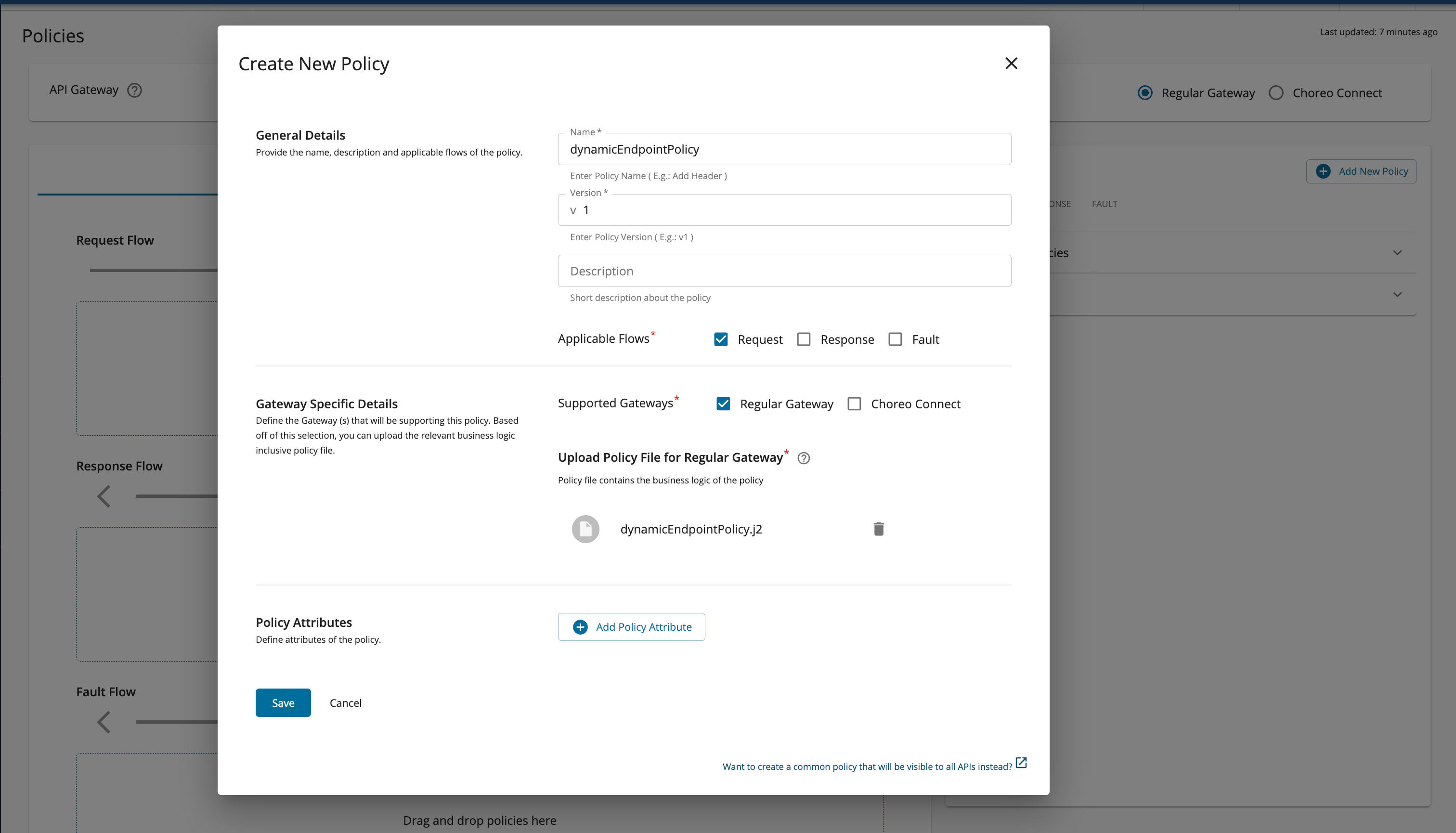
-
You should be able to see the created policy under the Request tab of the Policy List. Drag the policy and drop it to the
Request Flowdropzone.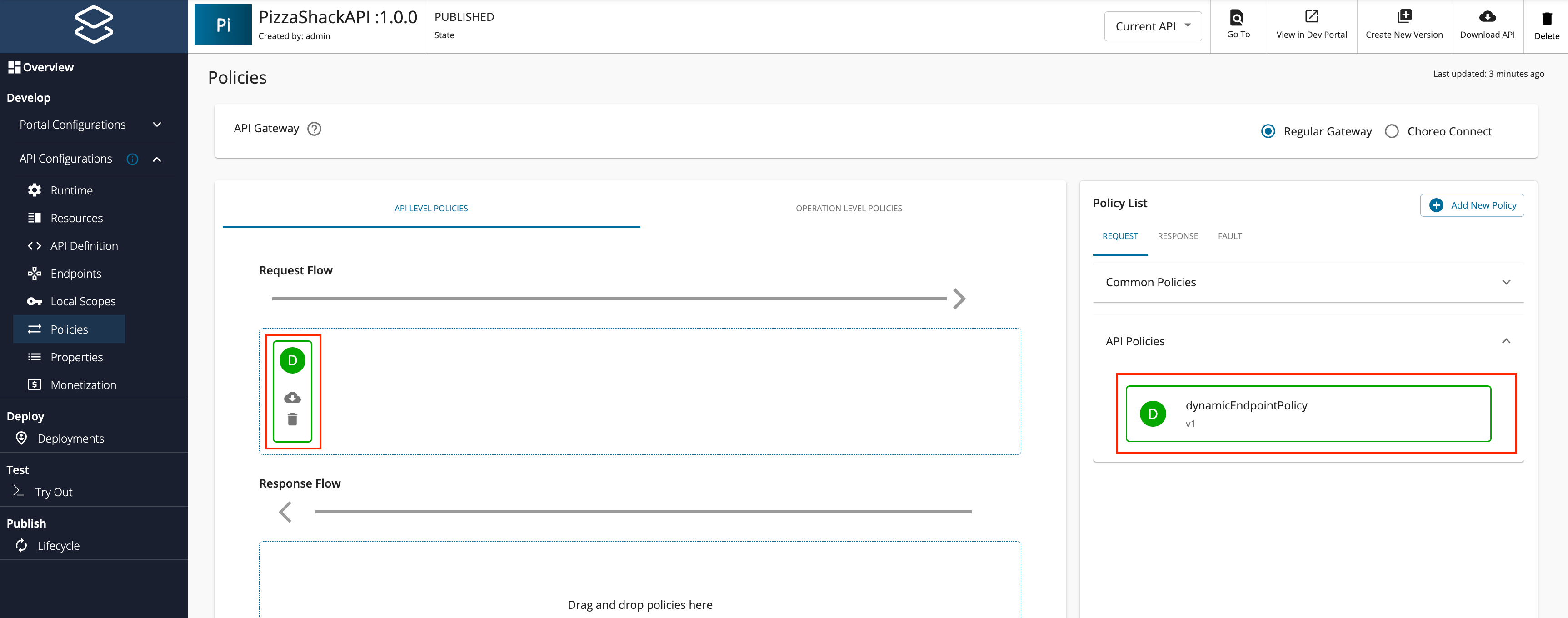
You can either attach the policy as an API Level policy or add policy per each resource using the Operation Level Policies section.
-
Finally click
Save and Deploy.
Info
The dynamic endpoint functionality is suitable for scenarios where the application client can send an attribute in the request correlating to the intended endpoint (such as an HTTP transport header or as part of the payload), which can be used in the mediation extension.
Note
The API policy is applied to all resources of the API. Therefore, all resources will contain a similar logic to construct the endpoint.
Tip
For more details about working with dynamic endpoints, see Endpoint Types.
Adding Dynamic Endpoints for WebSocket APIs
You can configure dynamic endpoints for WebSocket APIs in the same way as for REST APIs using a mediation policy.
Note
This feature is available only as an update and is available from update level 4.2.0.151 (released on 2nd July 2025).
-
Set the Endpoint type to 'Dynamic Endpoints' from the Endpoints page and Save the API.
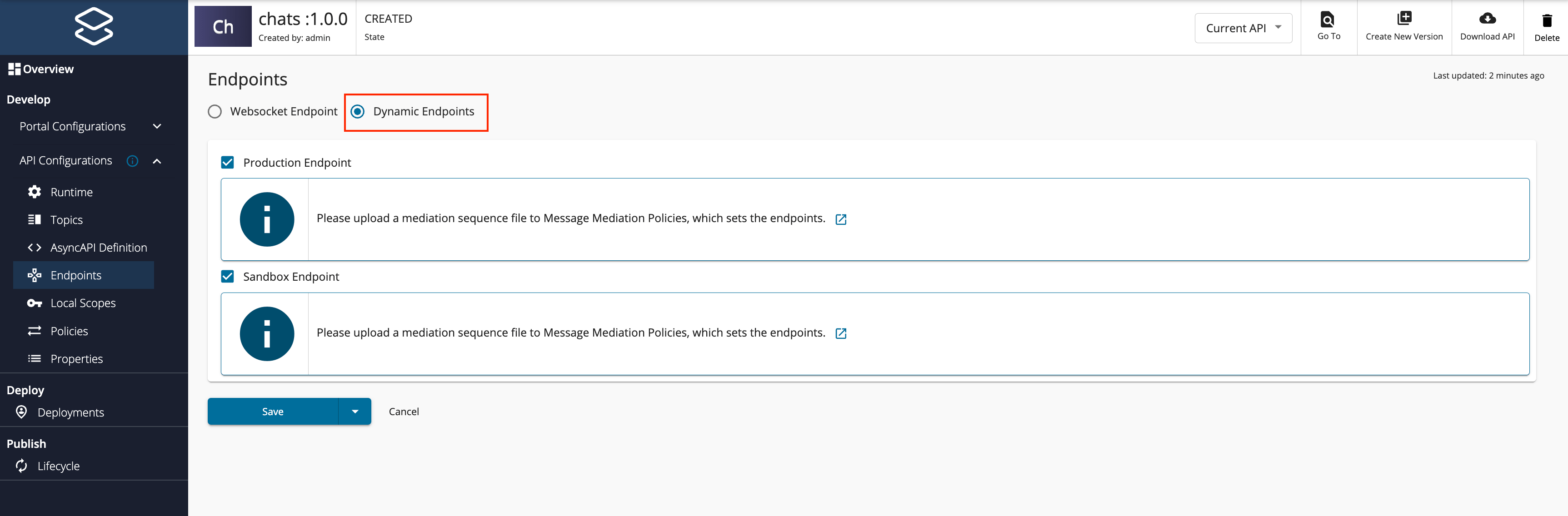
-
Create the policy.
Unlike HTTP-based APIs, the target resource path is not automatically appended to the backend endpoint URL for WebSocket APIs. Therefore, it must be explicitly added to the 'To Header; property in the mediation policy itself by appending the 'API_ELECTED_RESORCE' property. An example is given below.
<header name="To" expression="concat('ws://example:8080', get-property('API_ELECTED_RESOURCE'))"/> -
Navigate to the Policies tab. Click on the
Add New Policybutton in order to create an API specific policy. Then you will be prompted to enter the policy details. Fill the form uploading the above created policy definition file and click on Save.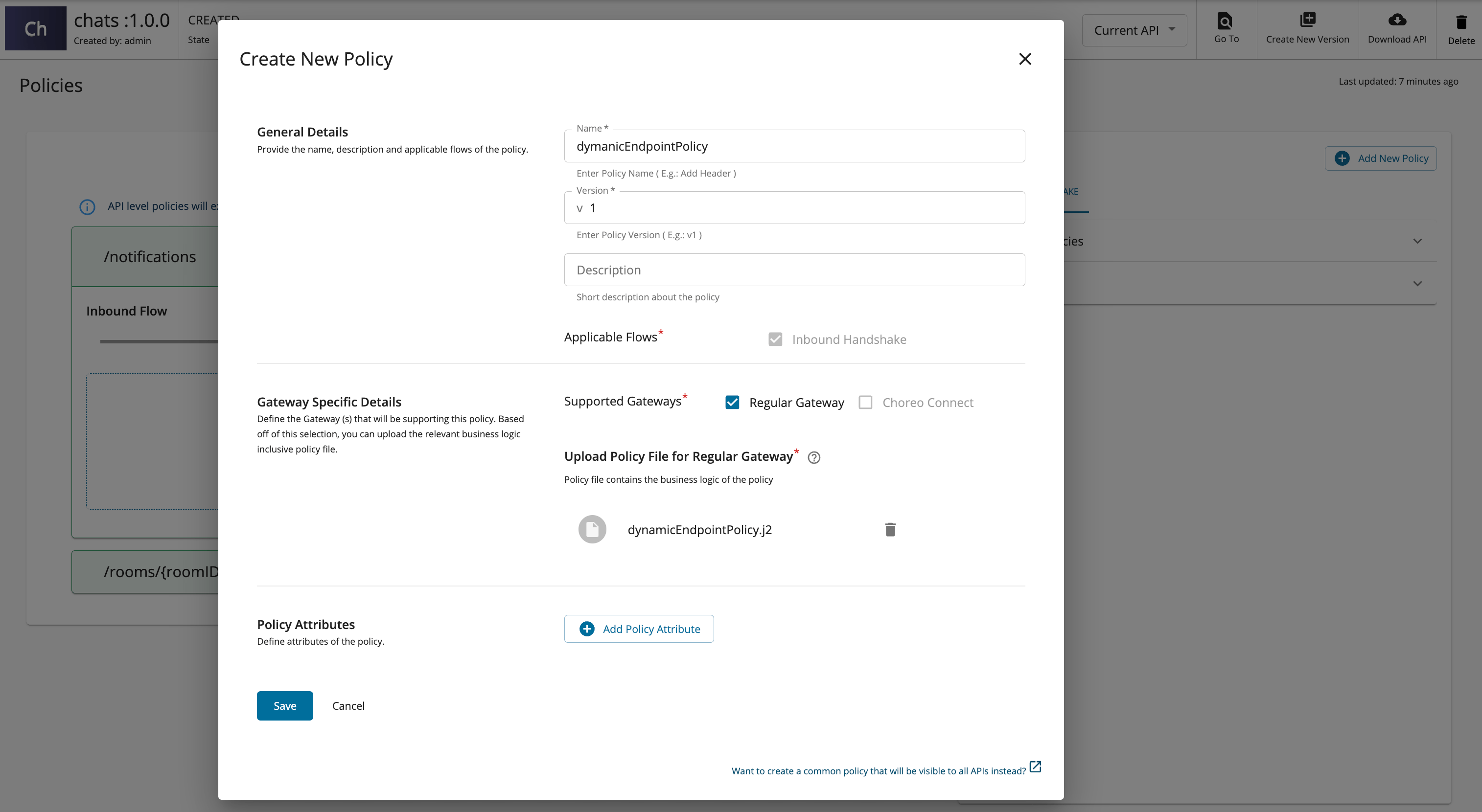
-
You should be able to see the created policy under the 'Inbound Handshake' tab of the Policy List. Drag the policy and drop it to the
Inbound Flowdropzone.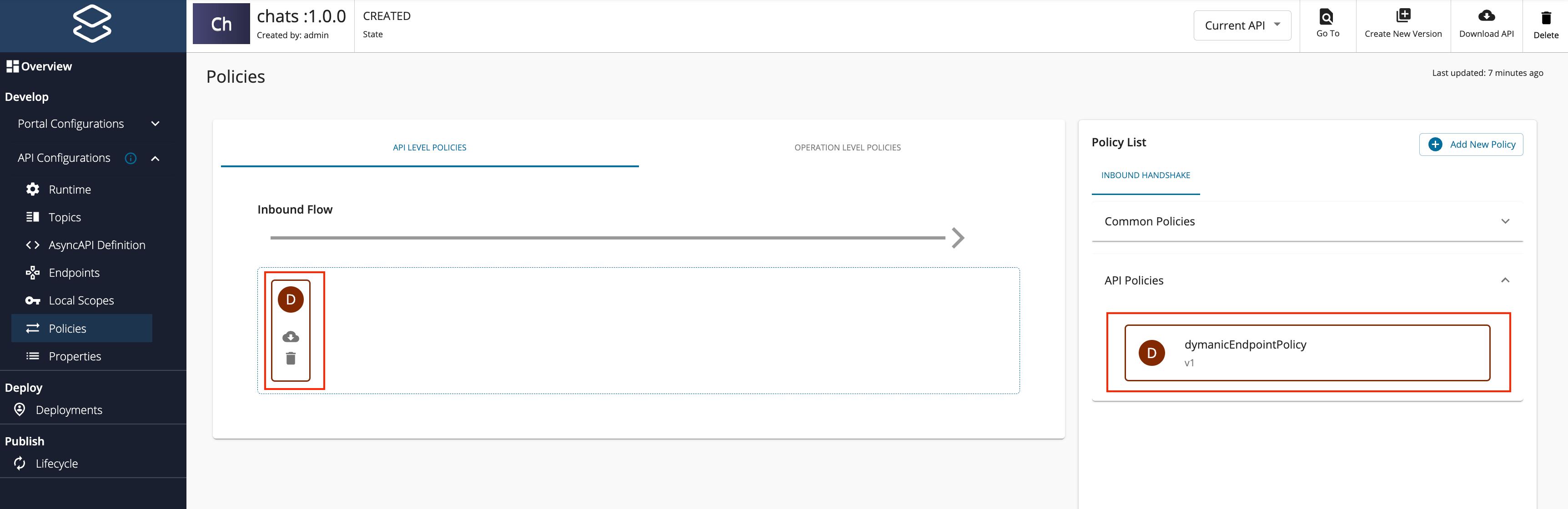
-
Finally click
Save and Deploy.
Now all the requests sent to this API will be directed to the endpoint ws://example:8080.
Websocket APIs with different URL Mappings:
In some cases, the backend WebSocket endpoint may require a different URL format than the topic path defined in the API.
For example, you might define the topic as:
/rooms/{roomID}
But the backend expects the URL in the format:
/rooms?roomID={uri.var.roomID}
This results in a URL mapping like:
| Topic | URL Mapping |
|---|---|
| /rooms/{roomID} | /rooms?room={uri.var.roomID} |
URL mapping is configured from the Topics page in the Publisher portal as shown below.
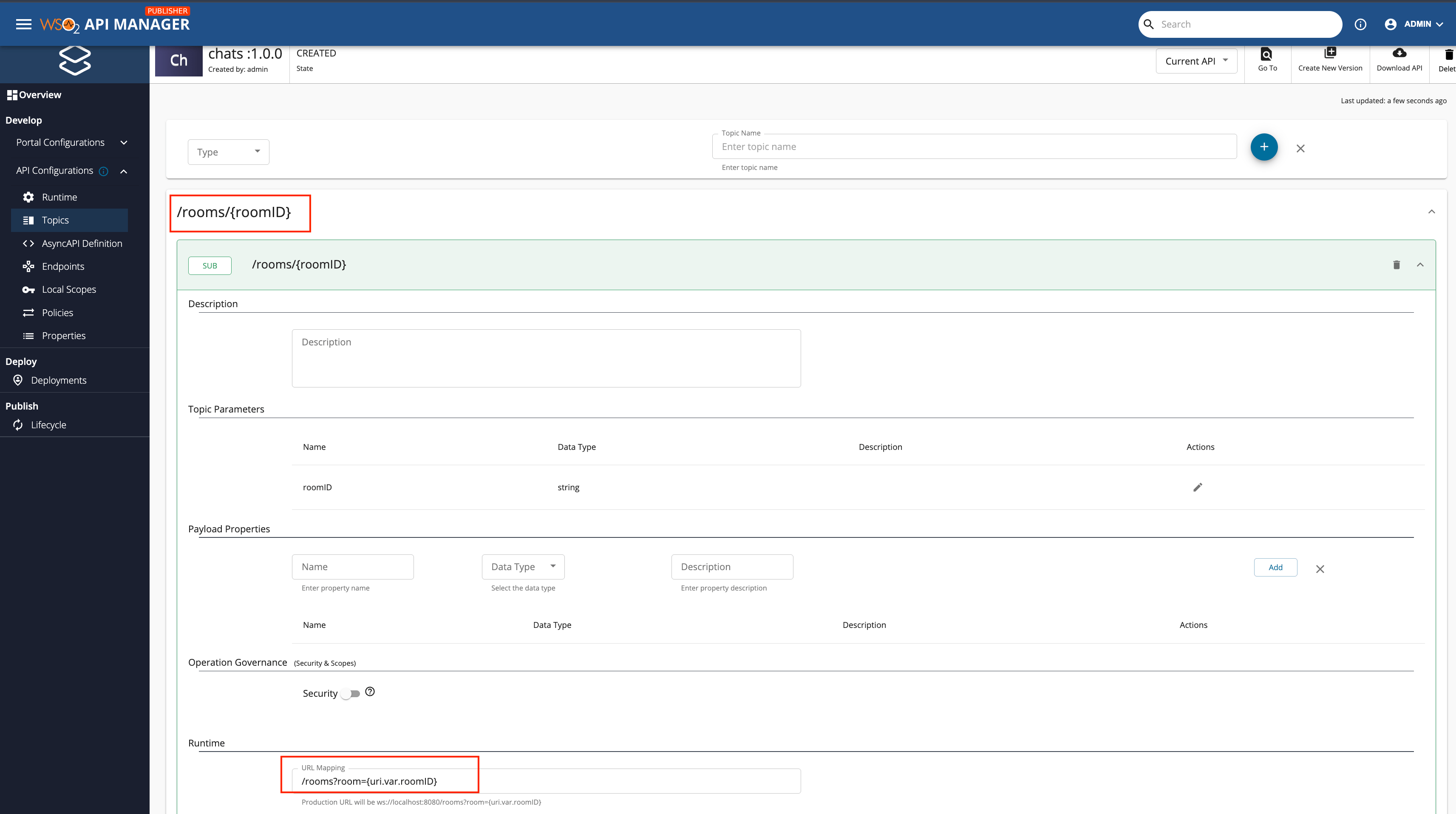
Writing a mediation policy to support dynamic endpoints might be tricky for such a scenario as it requires a custom mediation policy that extracts and reconstructs the target URL manually based on each topic. A sample mediation sequence is given below.
<property name="switchExpression"
        expression="get-property('API_ELECTED_RESOURCE')"
        scope="default"/>

<switch source="$ctx:switchExpression">
    <case regex="^/rooms/[^/]+$">
        <header name="To"
                expression="concat('{{ value }}', '/rooms?room=', get-property('uri.var.roomID'))"/>
    </case>
    <default>
        <header name="To"
                expression="concat('{{ value }}', get-property('switchExpression'))"/>
    </default>
</switch>
For a complete guide on how to create a WebSocket API, refer Creating and Publish WebSocket API.
For more information, visit Creating and Uploading Manually in API Publisher.