Upgrading the Token Type of an Application to JWT
It is recommended to upgrade the token type of your legacy opaque applications to JWT as we have deprecated the support for opaque access tokens. If you already have legacy applications that are using opaque access tokens please consider upgrading them to use JWT-based access tokens.
Note
When you upgrade the token type of a legacy application to JWT,
- You will permanently switch the format of the newly generated access tokens from opaque to JWT.
- Existing opaque tokens will still be supported.
This will be valid for applications belonging to the Resident Key Manager and those belonging to WSO2 Identity Server 6.x configured as the Resident Key Manager.
Follow the instructions below to upgrade the token type of your legacy applications to JWT.
- Start the WSO2 API-M Server.
-
Sign in to the WSO2 API-M Admin Portal using admin credentials.
https://<APIM-hostname>:9443/admin -
Click Change Application Settings under Settings.
-
If you have legacy applications that are still using opaque access tokens, they will be shown under the Legacy Applications tab as follows.
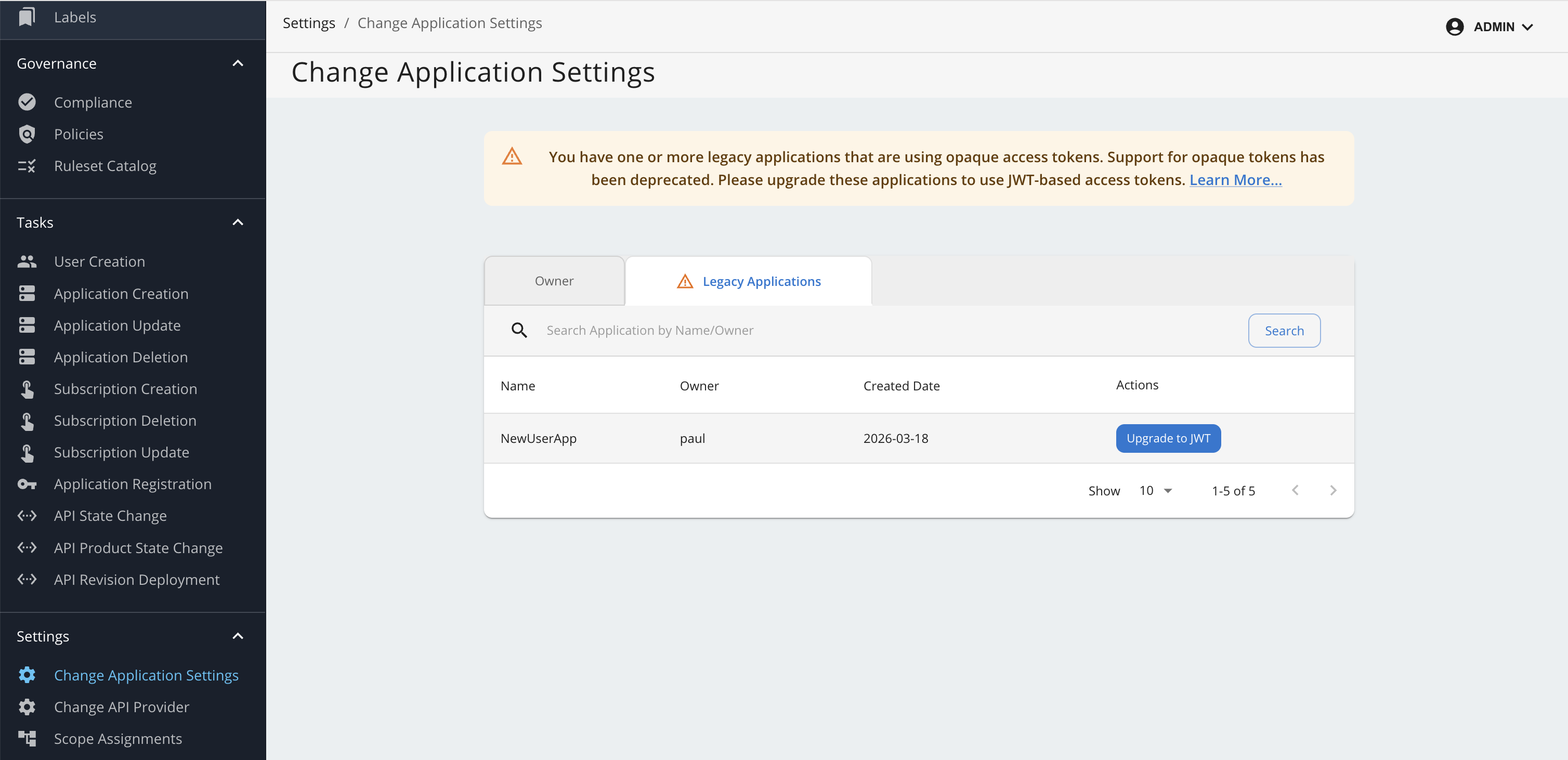
-
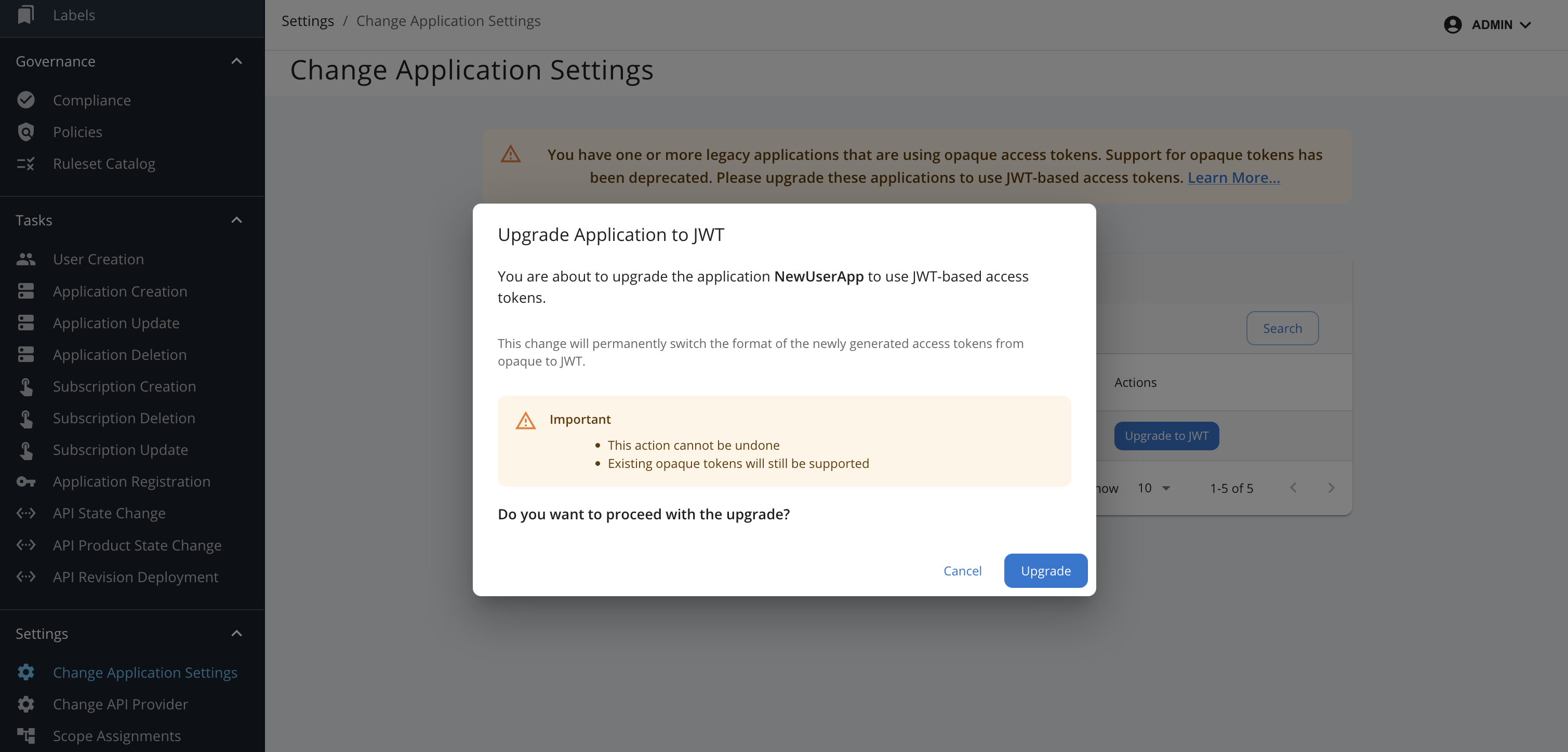
Click on the Upgrade to JWT button of the required application. You will see a dialog box as below.
-
Click on the Upgrade button. Please note that this action cannot be undone.