AI Assistants
WSO2 API Manager includes three AI-assisted capabilities that let API creators, publishers, and consumers work in natural language instead of navigating every screen manually:
| Assistant | What it does |
|---|---|
| Marketplace Assistant | Find published APIs by describing what you need |
| Design Assistant | Generate or refine an API specification from a description |
| API Chat | Test an API's resources through conversation |
Choose how the assistants are powered
By default, all three assistants are backed by AI services that WSO2 hosts and manages for you. You can also deploy the AI services yourself.
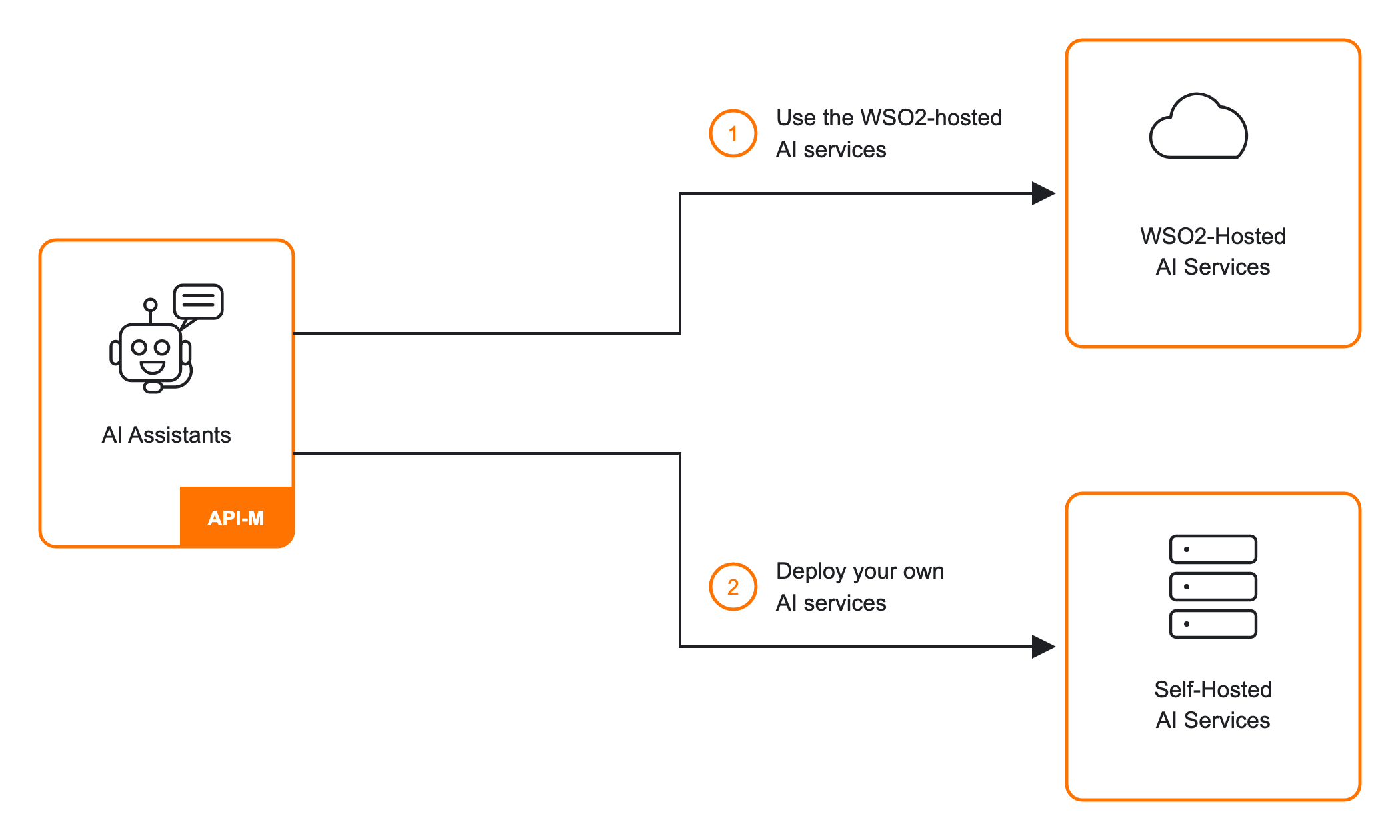
1. Use the WSO2-hosted AI services
This is the default, and it requires no additional setup. Each assistant's own guide covers how to use it:
2. Deploy your own AI services
If your requirements go beyond the WSO2-hosted services, or you need to keep AI processing within your own environment, you can implement and deploy the AI services yourself. API Manager invokes your implementation through an API Gateway, as long as it follows the published OpenAPI contract for the assistant you're replacing.
See Integrate a self-hosted AI service for the contracts, deployment steps, and configuration required.
Add custom properties to AI service requests
Your self-hosted service can also receive extra request context, such as a username or organization, without adding it in your own service code. Configure an AI request property enricher in API Manager to add these fields before the request reaches your service.
See Add custom properties to AI service requests for how to implement a request property enricher.