Create a Streaming API from an AsyncAPI Definition
AsyncAPI specification is a format that describes streaming APIs. An API Creator can import an existing AsyncAPI definition to WSO2 API Manager to create a streaming API using any one of the following protocols.
The API Creator can import the existing AsyncAPI definition by either uploading a file or by providing an Async API URL.
Follow the instructions below to create a Streaming API using an AsyncAPI definition for an existing API:
Step 1 - Design a Streaming API
-
Sign in to the Publisher.
https://<hostname>:9443/publisherFor testing purposes, you can use
https://localhost:9443/publisherandadminas the username and password. -
Click CREATE API and then click Import AsyncAPI Definition.
Note
The CREATE API button will only appear if the user who has signed in has the creator role permission.
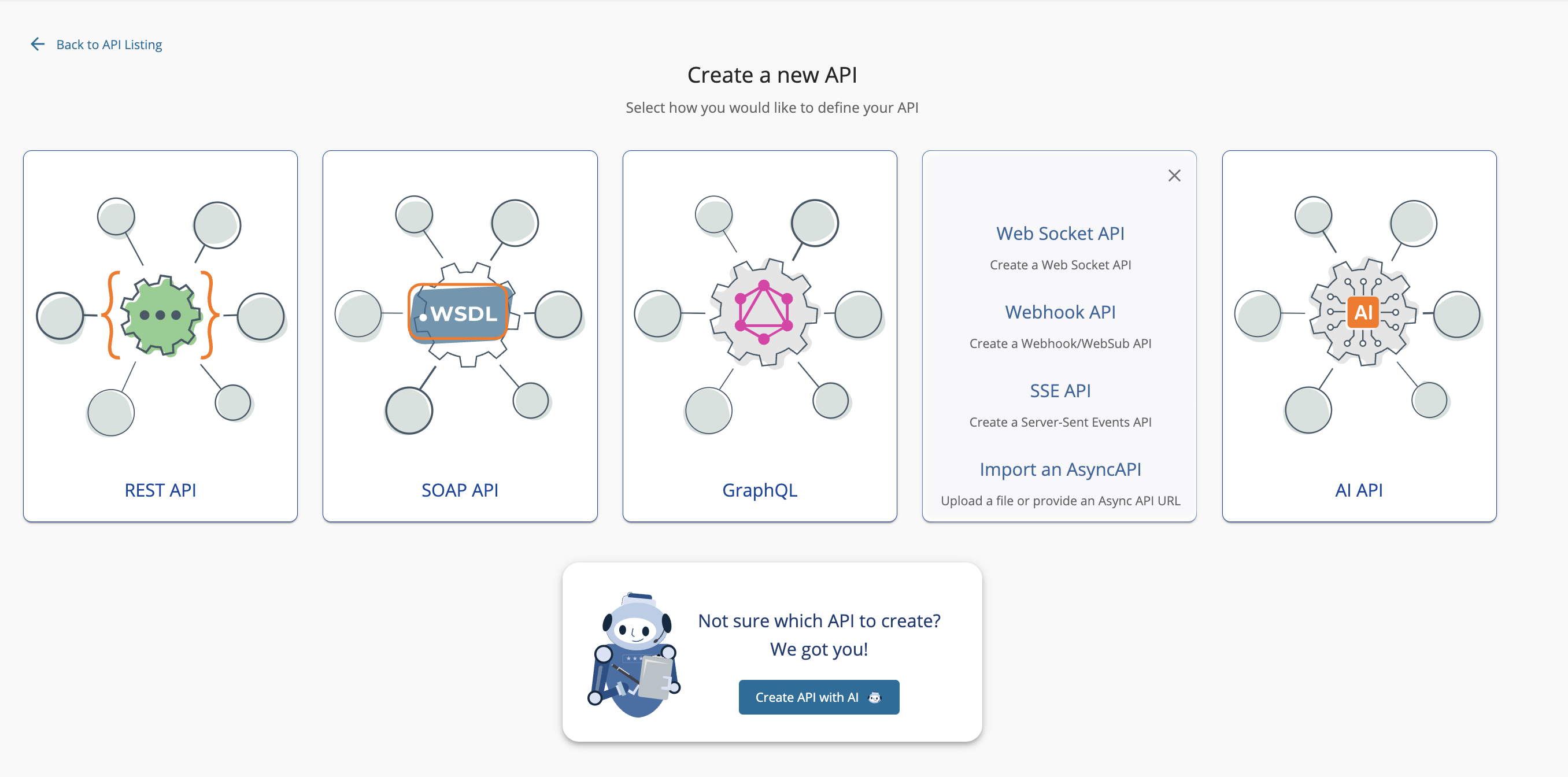
The following two options to import the AsyncAPI definition appears.
- AsyncAPI URL - If you select this option, you need to provide a URL.
- AsyncAPI File - If you select this option, click Browse File to Upload and upload a file, which contains an AsyncAPI definition.
-
Select the way in which you are going to import the AsyncAPI definition, and click Next.
Note
AsyncAPI import now supports both AsyncAPI v2.x and AsyncAPI v3.0 definitions.
For this example, let's select AsyncAPI File, upload the following file, and click Next.

-
Edit the Streaming API information and click Create.
Note
The AsyncAPI definition of the Streaming API will contain the basic API definition, and will not specify the protocol, such as WebSocket, WebSub, WebHook, SSE, that the API has to use. You need to provide the Streaming API information here.
For this example, let's design a WebSocket API using the following information.
Field Sample value Name StreetlightsAPI Context /streetlights Version 1.0.0 Protocol WebSocket (or any other type of Streaming API) Endpoint ws://localhost:8080 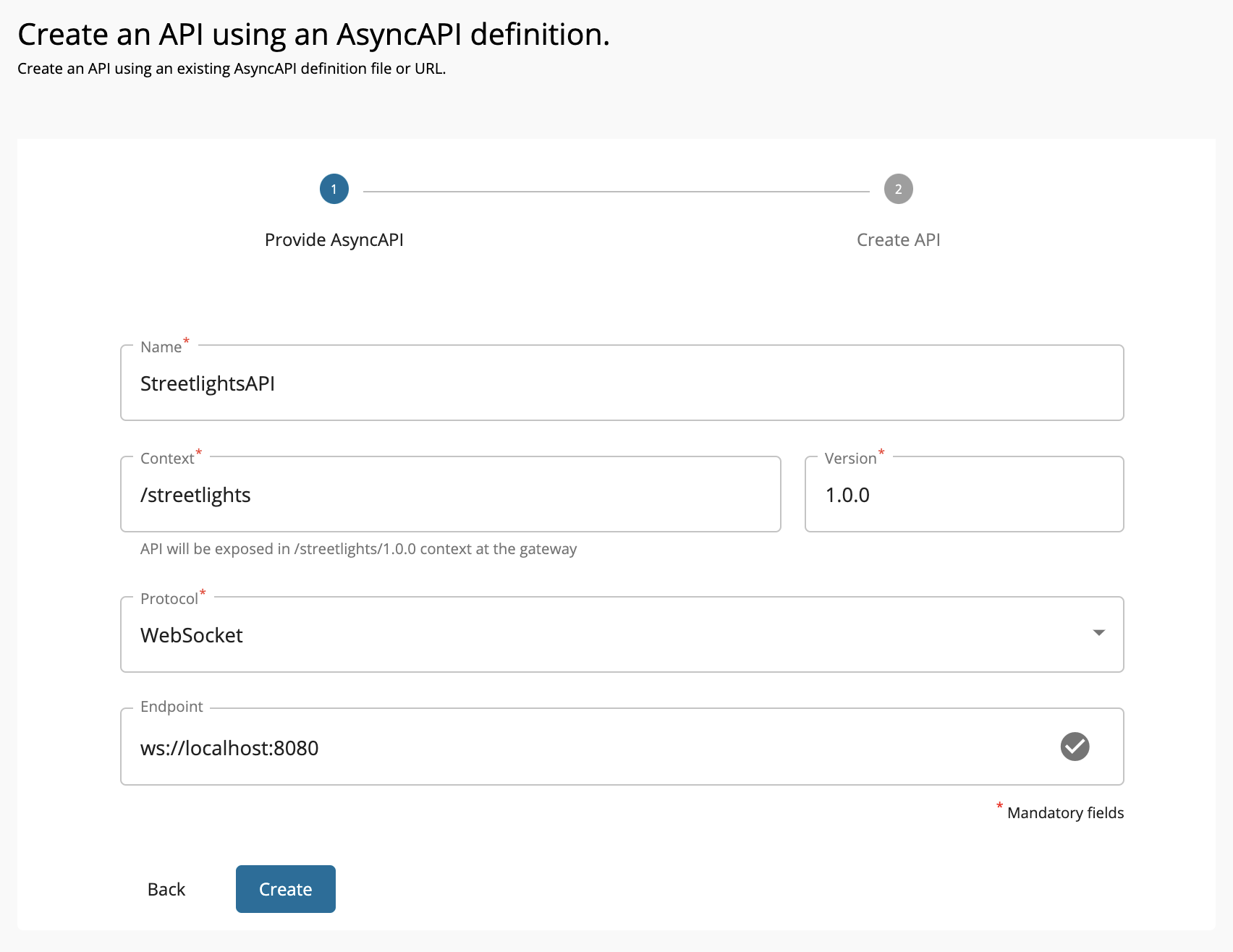
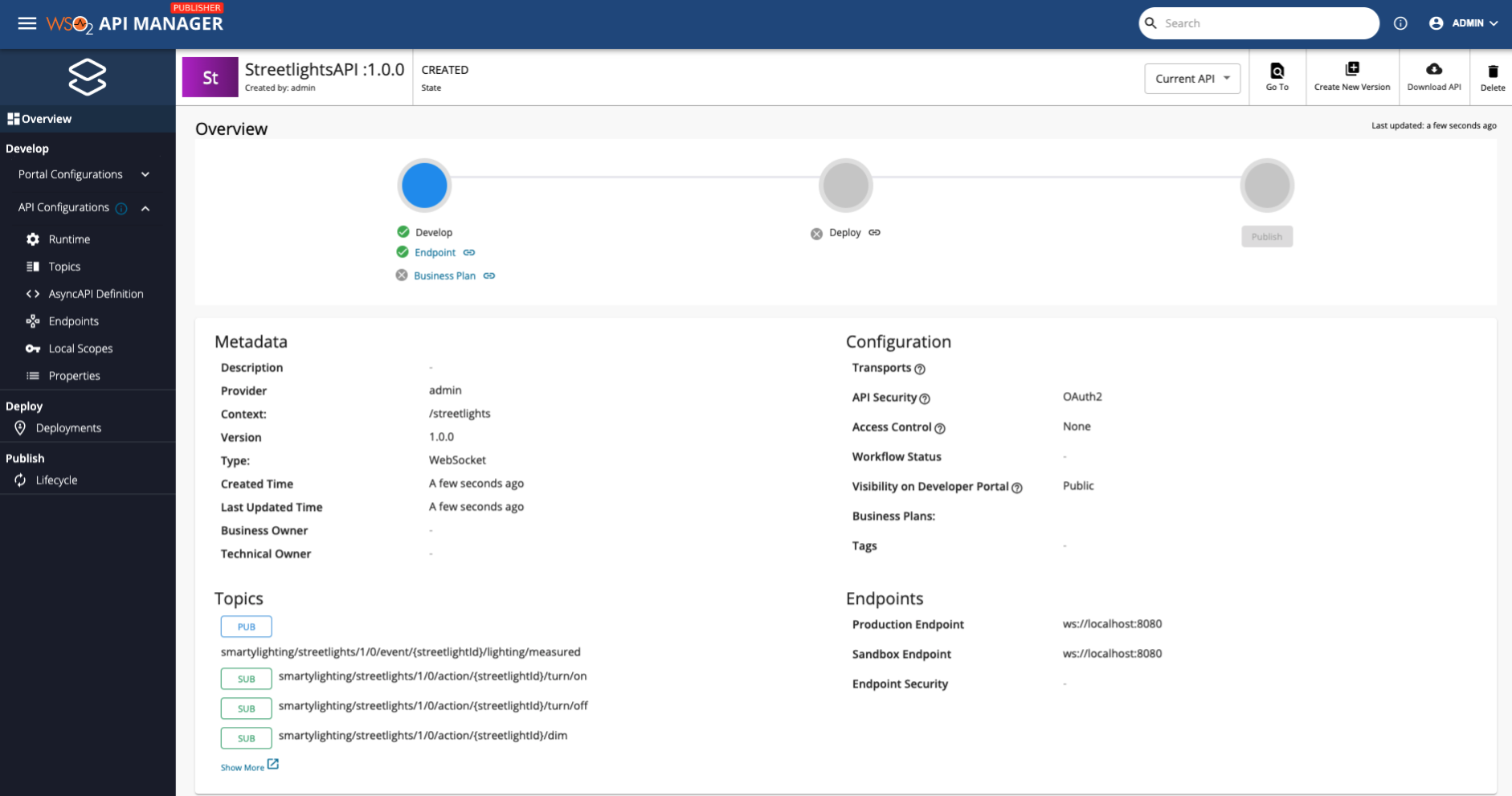
Now, the StreetlightsAPI API overview page will appear.
Step 2 - Configure Topics
Click Topics to navigate to the topics page.
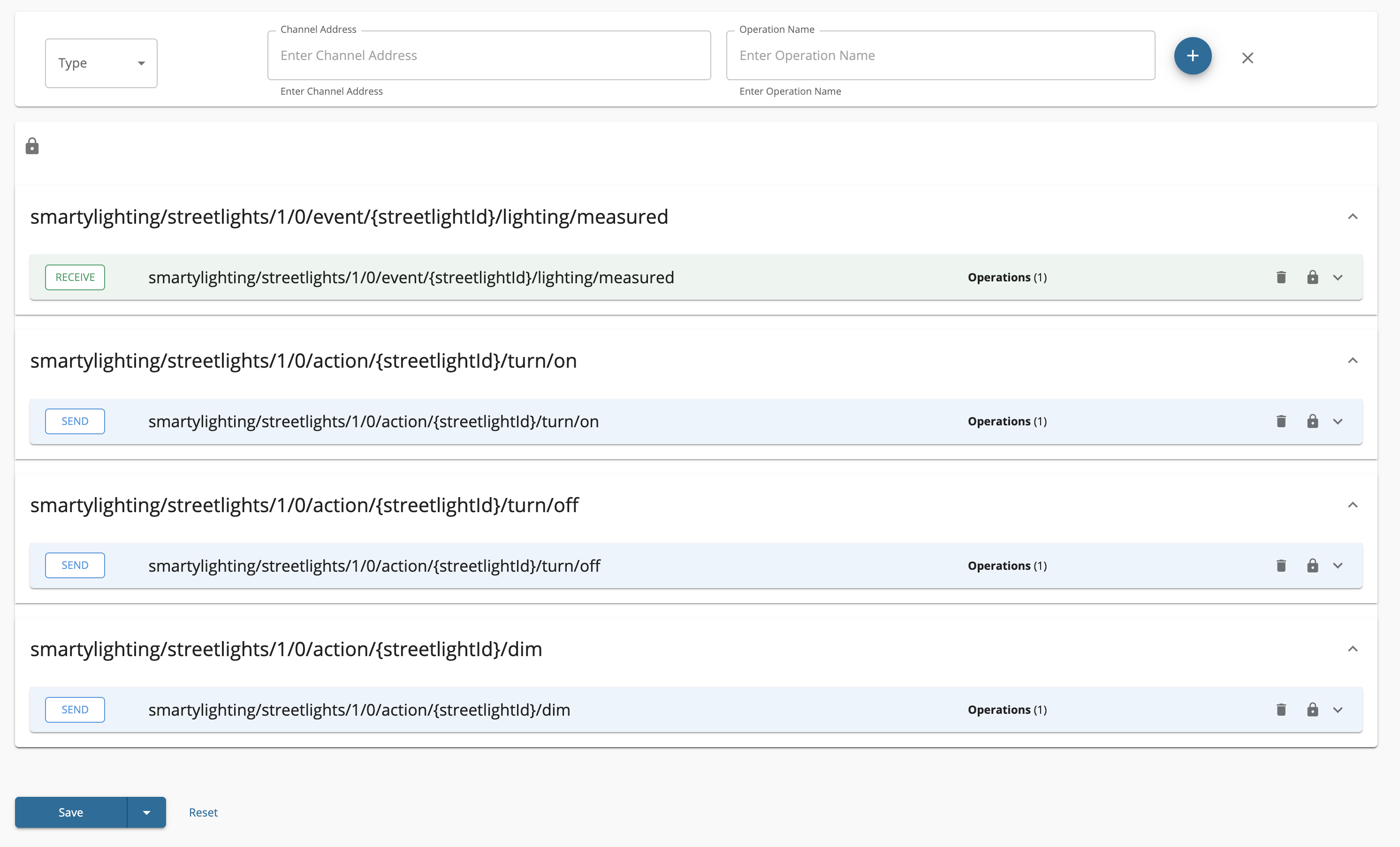
You will notice that the topics have been created automatically from the AsyncAPI definition specified in the provided URL.

Expand each topic to view the operations which are automatically created for each channel, as defined in the specification.
Step 3 - View the AsyncAPI Definition
Click AsyncAPI Definition under API Configurations.
The AsyncAPI definition of the streaming API, which you just created, appears.
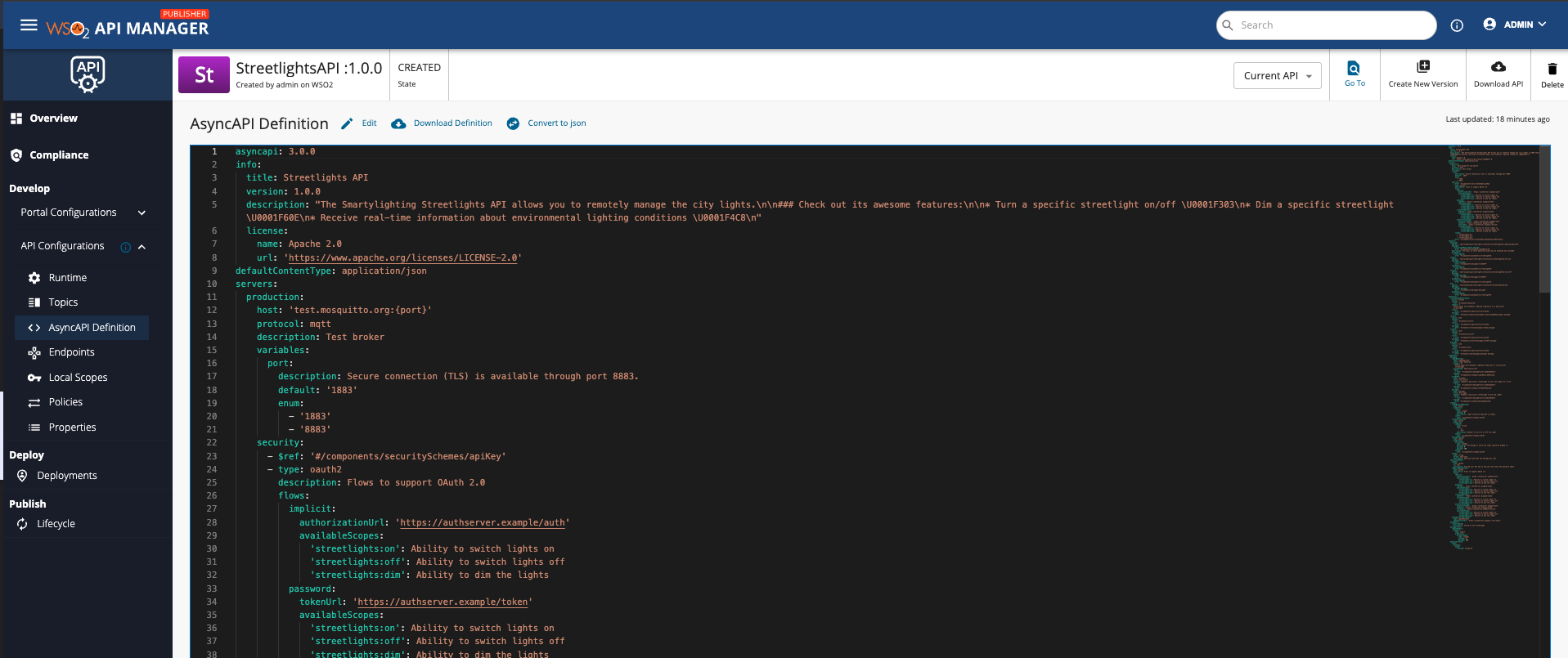
Now, you have successfully created a Streaming API from an Async API Definition.
If you have created the streaming API using an AsyncAPI v2.x definition, see AsyncAPI v2.x for APIM 4.6.0.
Next, publish the API, for more information, see Publish an API.
What's Next?
Learn how to create Streaming APIs from scratch by trying out the following tutorials:
See Also
-
Learn more on the concepts that you need to know when creating a Streaming API:
-
Learn how to test a Streaming API. For an example, see Test a WebSub/WebHook API.