Exporting Logs to Moesif
WSO2 APIM can export logs to Moesif using the OpenTelemetry Collector, enabling you to view and analyze APIM logs in Moesif's Live Event Log.
Prerequisites
- WSO2 APIM
- Docker (for running the OpenTelemetry Collector)
Step 1 - Create a Moesif account and obtain an Application ID
-
Create a Moesif account if you don't already have one.
-
Once logged in, obtain your Collector Application ID by navigating to:
Account → API Keys → Collector Application Id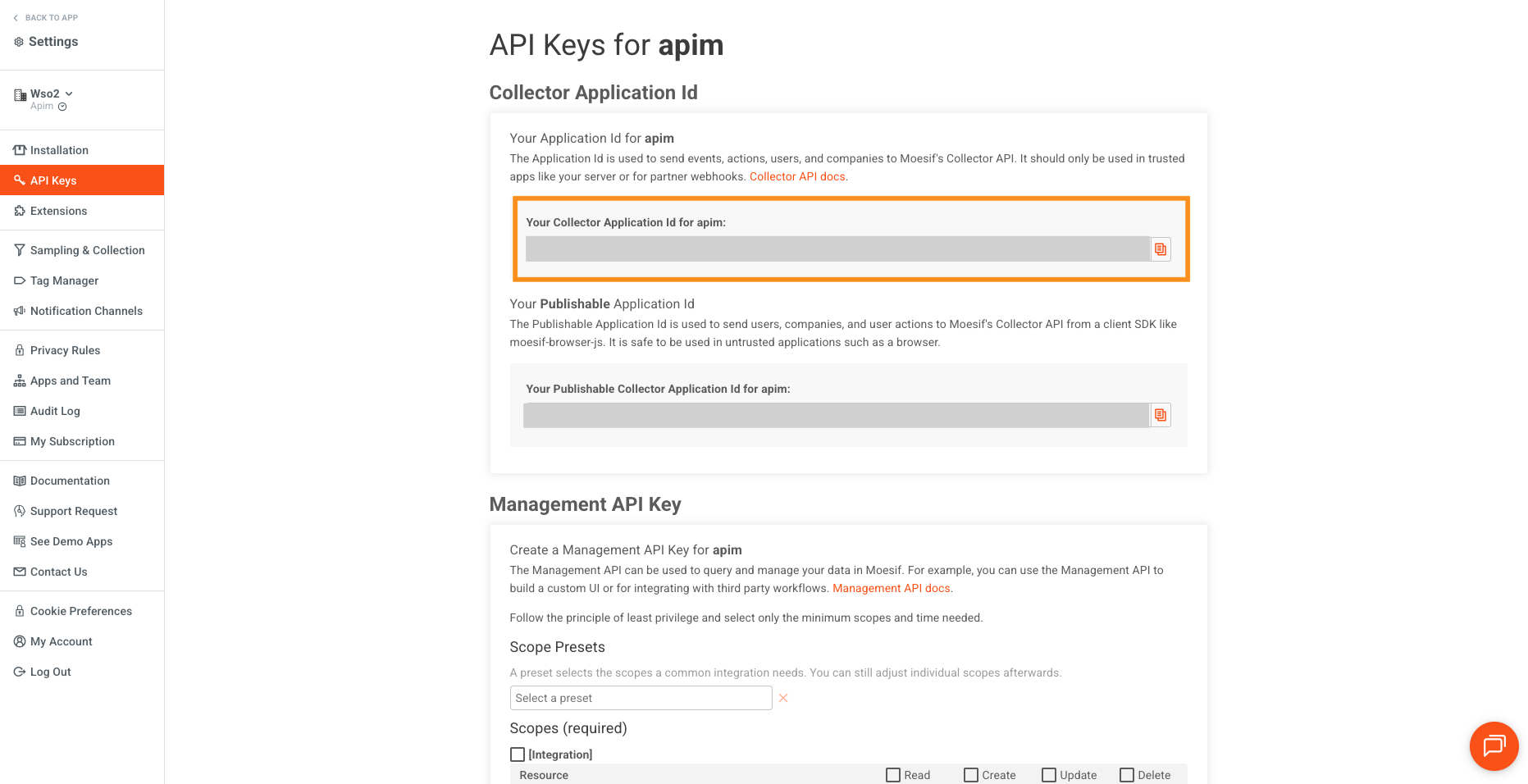
You'll need this Application ID to configure the OpenTelemetry Collector exporter.
Step 2 - Configure the OpenTelemetry Collector
The OpenTelemetry Collector reads the APIM log file (wso2carbon.log) and forwards the logs to Moesif's OTLP endpoint.
Create a file named otel-collector-config.yaml with the following content:
receivers:
  filelog:
    include: [ /var/log/wso2apim/wso2carbon.log ]
    start_at: end
    storage: file_storage

processors:
  resource:
    attributes:
    - key: service.name
      value: "WSO2-APIM"
      action: upsert

exporters:
  otlphttp/logs:
    logs_endpoint: https://api.moesif.net/v1/logs
    headers:
      X-Moesif-Application-Id: '<YOUR_MOESIF_APPLICATION_ID>'

extensions:
  file_storage:
    directory: /etc/otelcol-contrib/.data
    create_directory: true

service:
  extensions: [ file_storage ]
  pipelines:
    logs:
      receivers: [ filelog ]
      processors: [ resource ]
      exporters: [ otlphttp/logs ]
Replace <YOUR_MOESIF_APPLICATION_ID> with the Collector Application ID you obtained in Step 1.
- The
filelogreceiver tails thewso2carbon.logfile. - The
resourceprocessor tags each log record with the service nameWSO2-APIM. - The
otlphttp/logsexporter sends logs to Moesif's OTLP HTTP endpoint with your Application ID for authentication.
For more details on Moesif's OpenTelemetry integration, see the Moesif OpenTelemetry Integration Guide.
Step 3 - Start services and verify
-
Start the OpenTelemetry Collector:
docker run --rm \
  -v $(pwd)/otel-collector-config.yaml:/etc/otelcol-contrib/config.yaml \
  -v <APIM_HOME>/repository/logs:/var/log/wso2apim \
  -v $(pwd)/.data:/etc/otelcol-contrib/.data \
  otel/opentelemetry-collector-contrib:latest \
  --config /etc/otelcol-contrib/config.yaml
Replace
<APIM_HOME>with the path to your WSO2 APIM installation directory. -
Start the WSO2 APIM server.
-
Make some API requests to generate log entries.
Note
- Make sure the Collector has read access to the
wso2carbon.logfile. - The
file_storageextension persists the read offset so that the Collector resumes from where it left off if restarted.
Viewing logs in Moesif
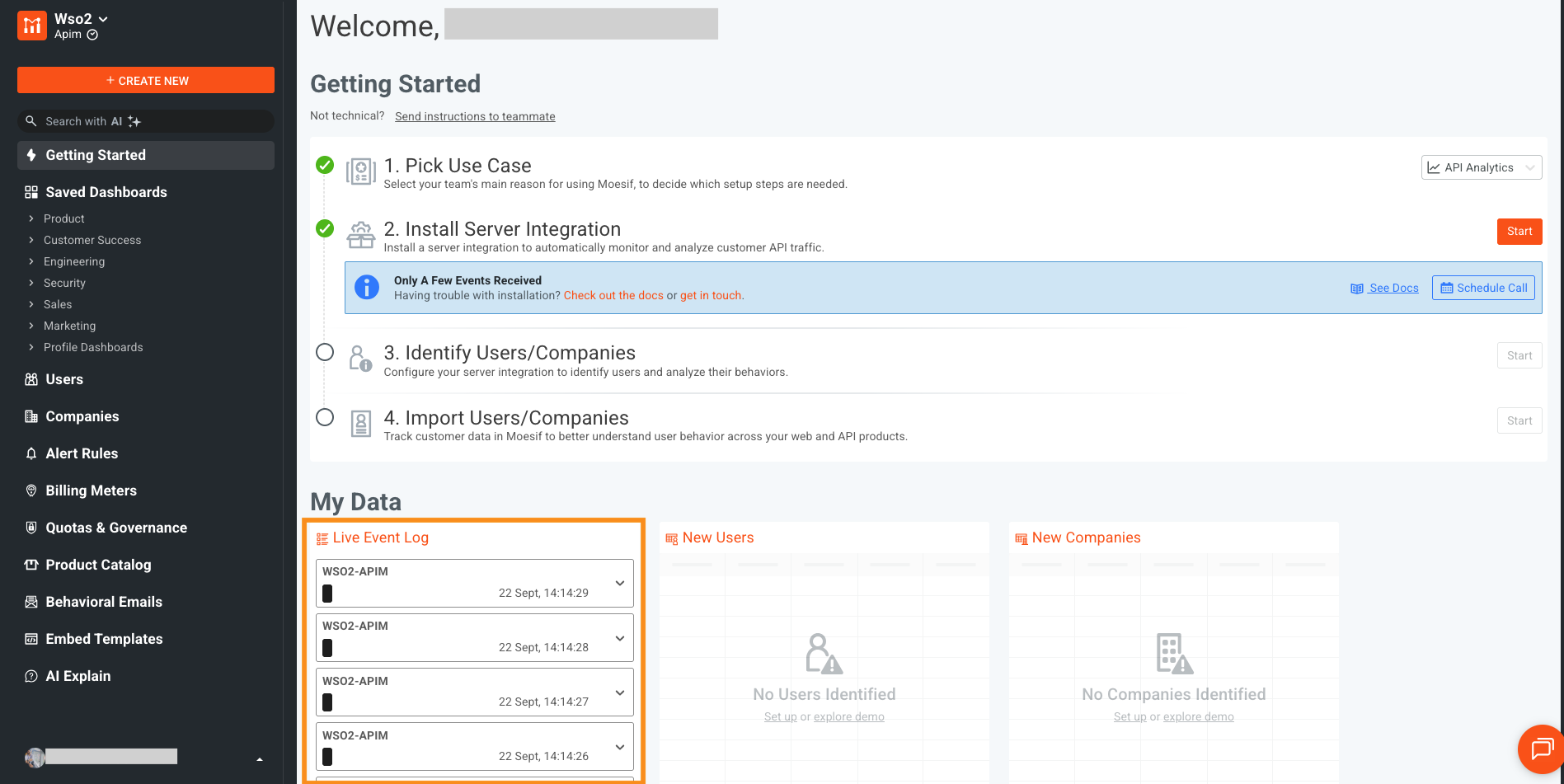
Once both the WSO2 APIM server and the OpenTelemetry Collector are running, logs will begin appearing in Moesif.
-
Log in to the Moesif Portal.
-
Navigate to Live Event Log to see the captured log data. For more information, see the Moesif Live Event Log documentation.
See also
-
For more details on Moesif's OpenTelemetry integration, see the Moesif OpenTelemetry Server Integration documentation.
-
For a complete end-to-end observability setup using OpenTelemetry with other backends, see OpenTelemetry Based Logs.