High Availability for Endpoints
Configuring Load Balancing Endpoints
When using WSO2 API Manager, you can configure load balancing endpoints via the API Publisher.
-
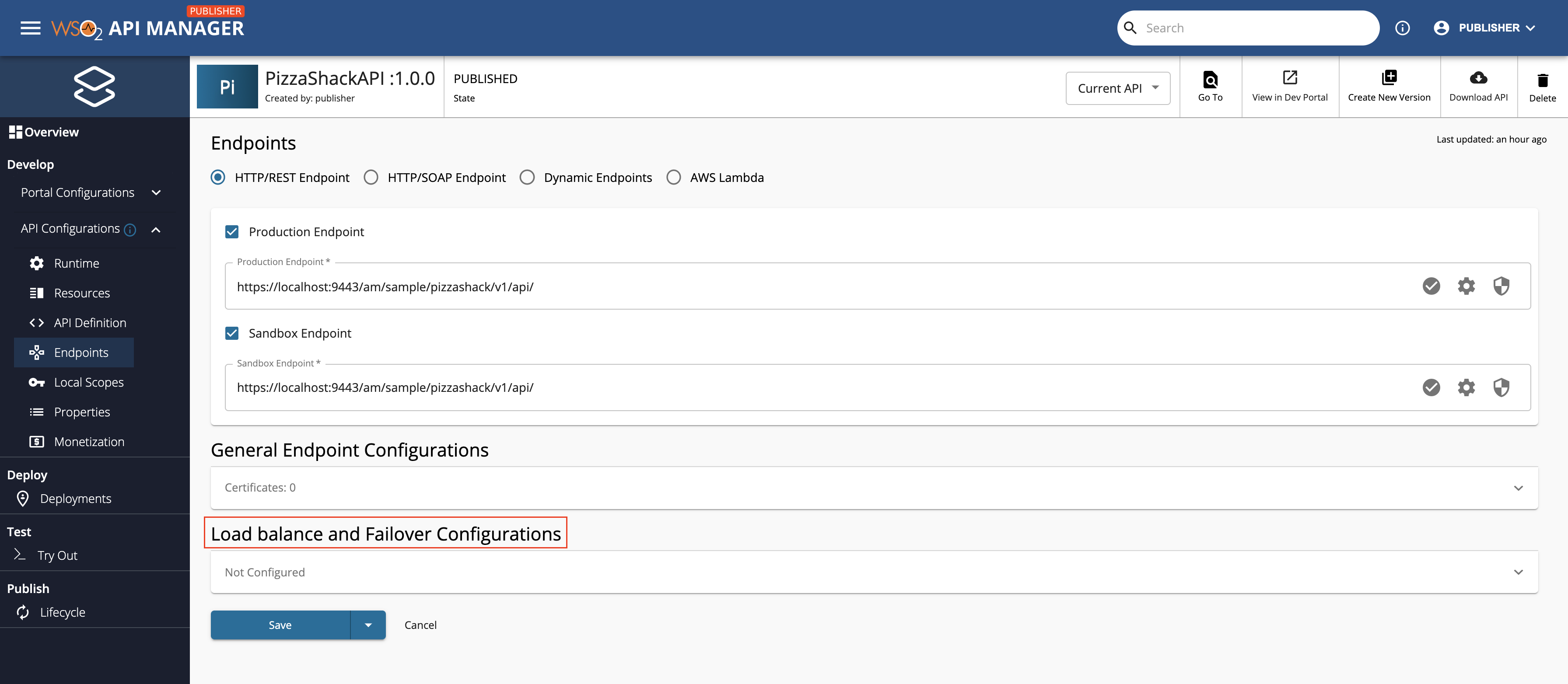
When you create an API, to configure load balancing endpoints go to the edit view of the API, click Endpoint to view the Endpoint page.
-
Expand Load balance and Failover Configurations.
-
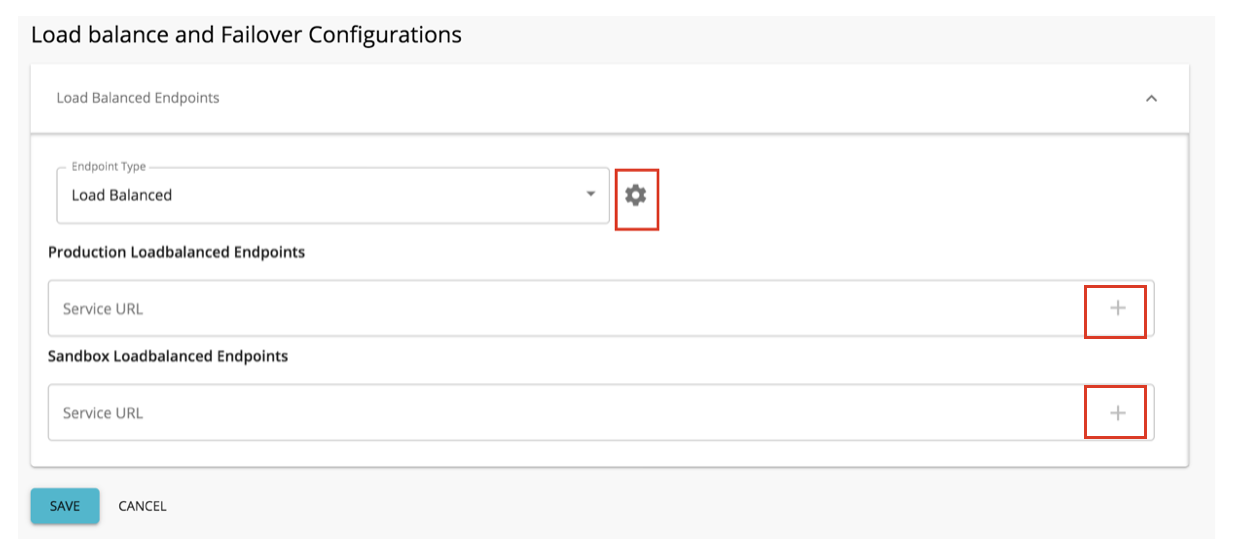
Select Load Balanced as the endpoint type.
-
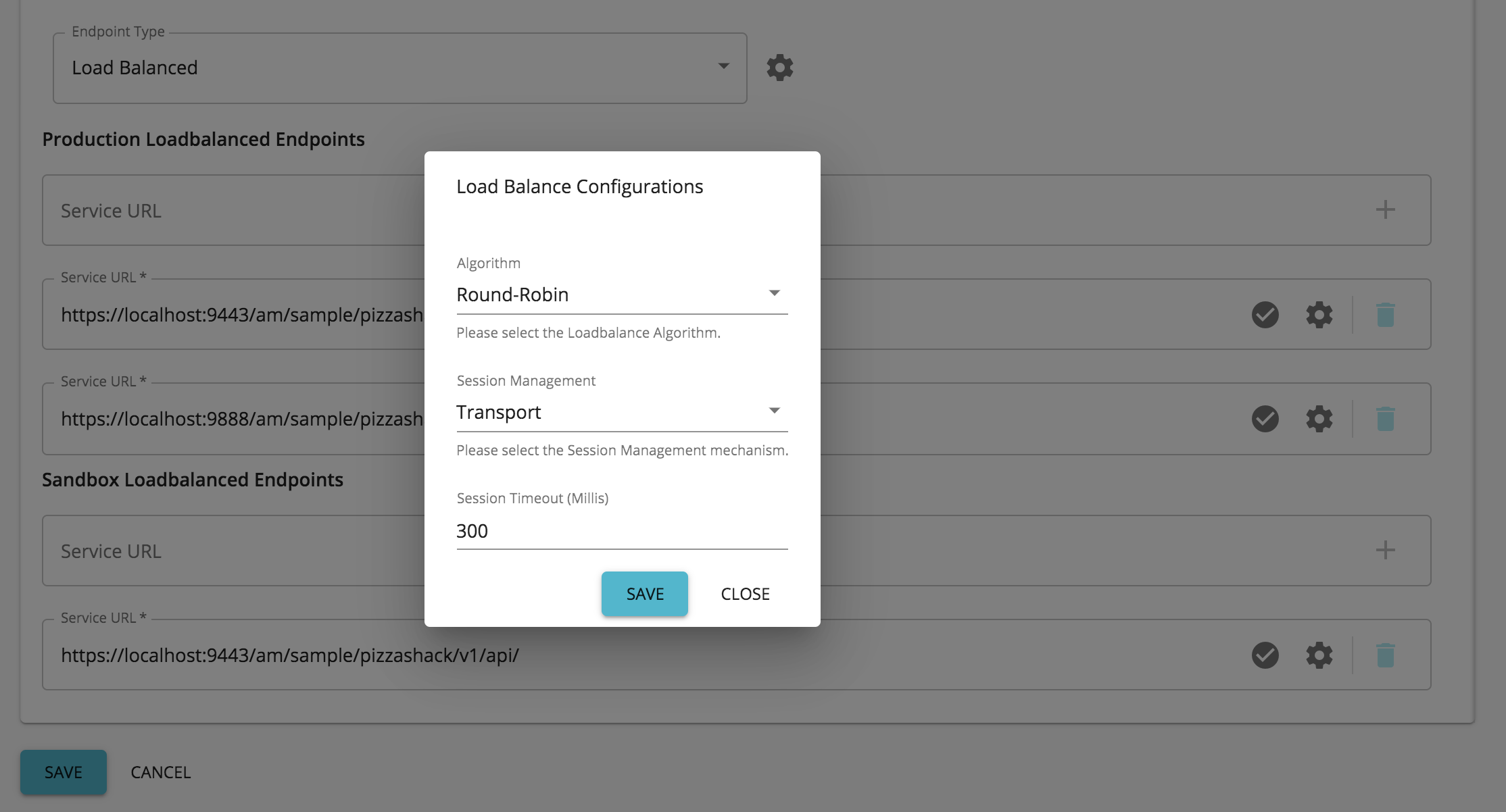
Configure the endpoint.
The following are the other configurations that you need to define in order to specify a load balancing endpoint.
Configuration Description Production Endpoints Specify the set of production endpoints here where the requests need to be load balanced.
If required, you can specify more than one endpoint by clicking +, and can delete the endpoints by clicking on the bin icon.Sandbox Endpoints The set of sandbox endpoints can be specified here where the requests need to be load balanced.
If required, you can specify more than one endpoint by clicking +, and can delete the endpoints by clicking on the bin icon.Algorithm The load balancing algorithm is specified here.
Click on the cogwheel icon to define the algorithm.
The default value is the Round-Robin Algorithm, which has the org.apache.synapse.endpoints.algorithms.RoundRobin className.
If you select another algorithm, you need to specify the class name of the algorithm. Class names of other algorithms can be found here.Session Management Click on the cogwheel icon to configure session management.
This refers to a session management method from the load balancing group. The possible values are:- None - Session management is not used.
- Transport - Session management is done on the transport level using HTTP cookies.
- SOAP - Session management is done using SOAP sessions.
- Client ID - Session management is done using an ID sent by the client.
Session Timeout The number of milliseconds after which the session would time out.
Click on the cogwheel icon to set up session timeout.Enable Failover When session management is set to None, failover can be explicitly enabled or disabled as required.
The Enable Failover button is available for all session management types; however, it only functions when session management is set to None.Note
The Enable Failover button has been available since the GA release but was not functional until update level 41.
To enable or disable failover when session management is set to None, update your pack to the specified update level and add the following configuration to thedeployment.tomlfile:[apim.endpoint_config.loadbalanced] enable_failover = trueSelect the Enable Failover checkbox to turn failover on or off.
-
Click SAVE.
Configuring Failover Group of Endpoints
When using WSO2 API Manager, you can configure failover group endpoints via the API Publisher.
-
When you create an API, to configure failover endpoints go to the edit view of the API, click Endpoint to view the Endpoint page.
-
Expand Load balance and Failover Configurations.
-
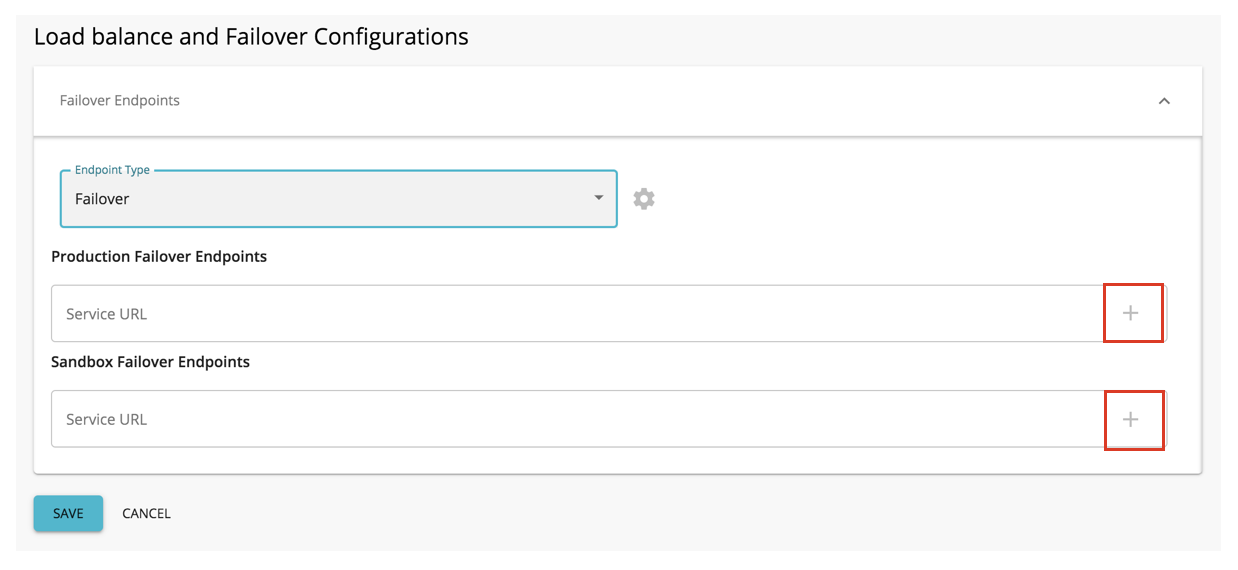
Select Failover as the endpoint type.
-
Configure the endpoint.
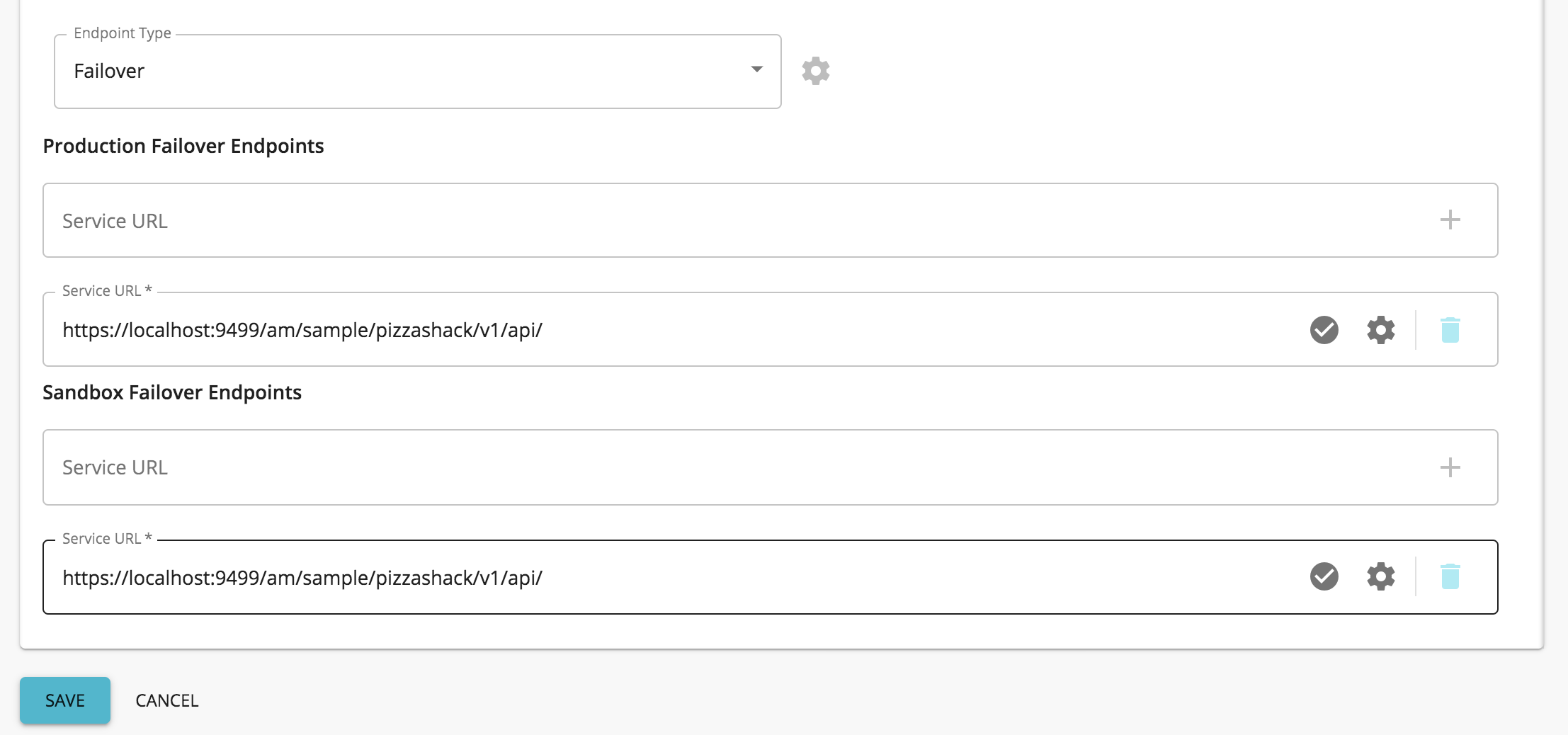
You need to add at least one failover endpoint as the production and sandbox (based on the endpoints that you have specified) endpoints.
If required, you can specify more than one endpoint by clicking +, and can delete the endpoints by clicking on the bin icon.
-
Click SAVE.